Hardcover token
Hardcover is a book tracking and discovery platform with rich metadata: covers, descriptions, community ratings, review counts, moods, and tags. To use it as a metadata provider in Trove, you need a free API token from your Hardcover account.
Get Your Token
- Sign up or log in at hardcover.app
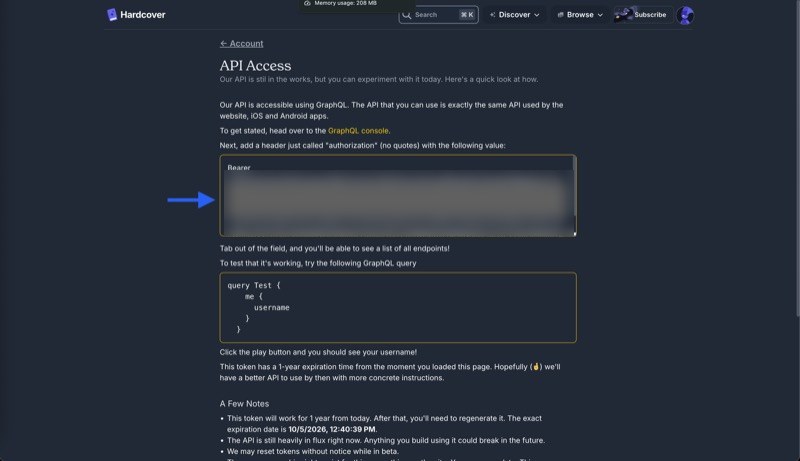
- Go to Account > API to open the API Access page
- Copy the token from the text box. It starts with
Bearerfollowed by a long string beginning witheyJ...
Configure Trove
- Open Settings > Metadata 1
- Enable the Hardcover checkbox
- Paste the token (without the
Bearerprefix) into the API Token field - Click Save Configurations
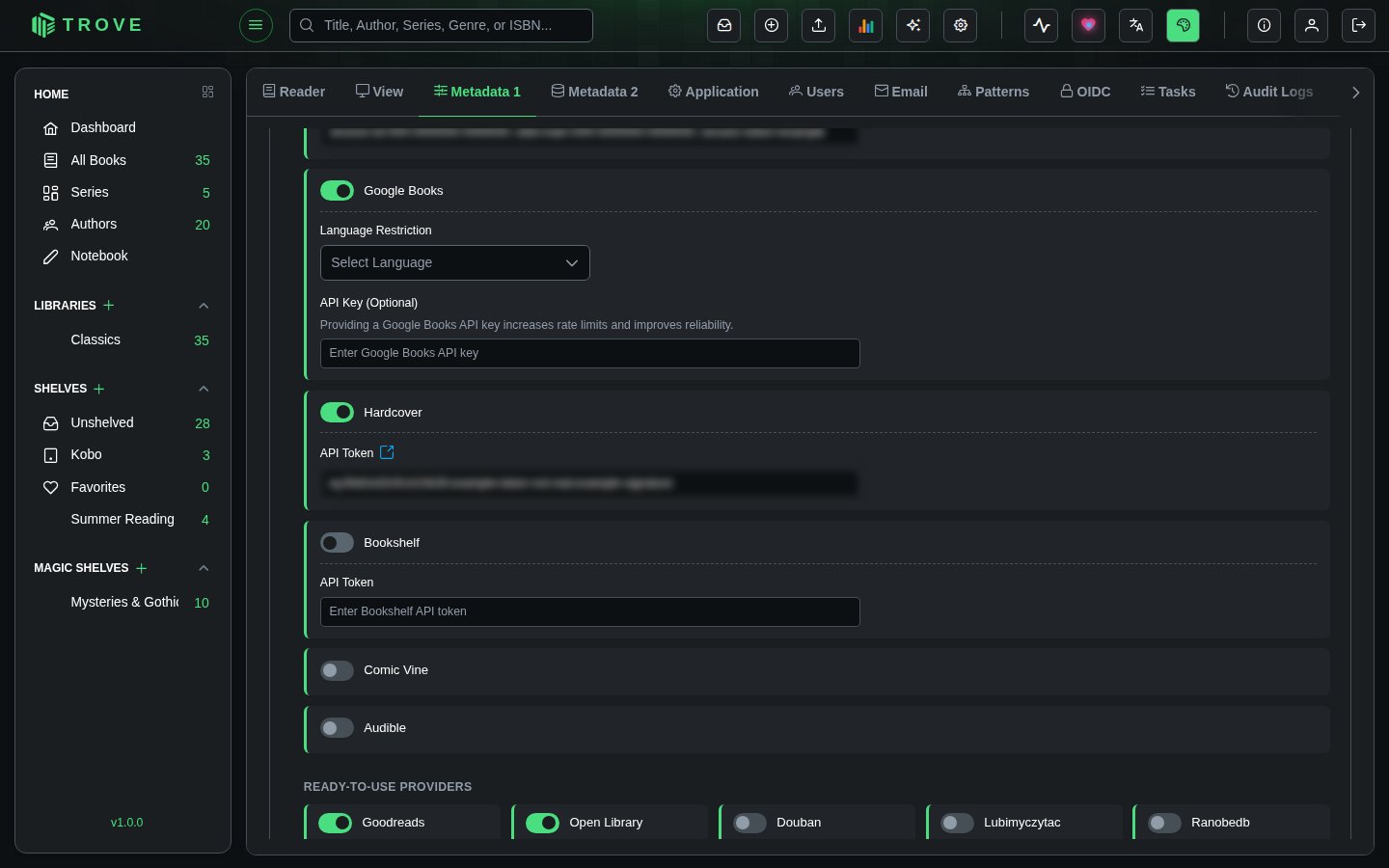
Hardcover is now active as a metadata provider. Give it a priority for the fields you want from it in Library metadata (Settings › Metadata 2). The same token can also sync your reading progress to Hardcover; see Device settings.
Troubleshooting
| Problem | What to check |
|---|---|
| Authentication errors | Make sure you removed the Bearer prefix. Check for extra spaces at the start or end of the token. |
| Token stopped working | Hardcover tokens expire after 1 year. Go back to the API page and copy the new token. Hardcover may also reset tokens during their beta period. |
| No results for a book | Hardcover's coverage is broad but not exhaustive. Verify the book exists on hardcover.app by searching manually. |